 4.9★
 AI-Infused
Best Graphic Design Course in Dehradun with Gen AI
3 MonthsOffline
Next batch 17 Nov 2026
Free LMS · 1 yrPlacement supportNo-cost EMI
Our UI UX Design Course in Dehradun with Gen AI teaches you to design user-friendly apps and websites with Figma, Photoshop, Illustrator and the AI tools design teams now use. Over 6 months of classroom training at our Dehradun centre, you'll learn UX research, wireframing, prototyping, design systems and AI-assisted workflows, and finish with a portfolio of 5 real projects.
Batch dates, fee, EMI plan and a personalised roadmap for Advanced UI UX Design Course in Dehradun with Gen AI.
Make sure this is an active WhatsApp number. The OTP will be sent via WhatsApp.
By submitting this form, you agree to our Terms and Conditions and Privacy Policy. No spam. Your details are only used to contact you about your enquiry.



Build industry-relevant skills with modern AI tools and technologies integrated into your learning experience.
Access class recordings, study notes, quizzes, assignments, and projects on BrillicaNext for 12 months to support continuous learning.
Stay connected to your learning journey with convenient mobile access to course resources on Android and iOS.
Prepare for career opportunities with resume building, LinkedIn profile guidance, mock interviews, and placement assistance.
Make your learning journey more accessible with convenient monthly instalments through available EMI options, subject to applicable terms.
 Adobe Photoshop
 Adobe Illustrator
 Figma
 Gen AI

An E-Commerce App offering seamless online shopping with user-friendly features, secure payments, and efficient order management.

A Fitness App delivering intuitive UI/UX for personalized workouts, progress tracking, goal setting, and community engagement.

A Social Media App designed for immersive UI/UX, enabling seamless content sharing, interaction, and personalized user experiences.

A Food Delivery App offering engaging UI/UX for effortless browsing, ordering, real-time tracking, and personalized recommendations.

A Portfolio Website featuring elegant UI/UX, showcasing work, skills, and achievements with seamless navigation and interactivity.
Showcase your skills and project experience with a Brillica Services certificate. Add it to your resume and LinkedIn profile to highlight your achievements, strengthen your professional credibility, and stand out to potential employers.
Our placement team prepares you for career opportunities across industries with expert guidance, interview preparation, and job-readiness support.






















Alongside your regular course, every Brillica learner goes through our Job-Readiness Program and Personal Development Program (PDP). Resume, communication, GD, aptitude, interview skills and mock interviews, until you're ready to crack the interview.
One-on-one resume reviews with ATS-friendly templates for your target role.
Recruiter-ready resumeOptimised LinkedIn profile, GitHub, Behance or campaign portfolio from your course projects.
Profile that gets foundSpoken English, email writing, presenting your projects and speaking with confidence.
Clear, confident speakingWeekly GD rounds on tech, business and current topics with feedback on structure and clarity.
Clear the GD roundQuantitative, logical and verbal practice in the format used by campus and off-campus drives.
Pass screening testsEvery app, website and digital product needs a designer who understands users. Brillica Services' UI UX Design Course in Dehradun trains you to design interfaces people find easy and enjoyable to use, with the same tools and AI workflows that design teams use today. Classes run in person at our Dehradun centre, with trainers who guide every project one-on-one.
Companies of every size, from startups to large IT firms, are hiring designers who can research users, design screens in Figma and move fast with AI. UI UX is also one of the few tech careers open to beginners without coding, and it offers freelance and remote work options.
Graphic Design Fundamentals: Design principles, colour theory, typography, grids and branding basics.
Adobe Photoshop: Layers, masks, retouching, compositing, mockups, and Generative Fill and Generative Expand.
Adobe Illustrator: Pen tool, icons, logo design process and preparing vector assets for UI.
UX Design: Design thinking, user research, personas, empathy maps, journey maps, information architecture and wireframes.
Figma & UI Design: Components, Auto Layout, styles, variables, responsive layouts and mobile UI patterns.
Advanced UI/UX: Design systems, prototyping, micro-interactions, accessibility, UX writing and usability testing.
Gen AI for Designers: Prompting, AI research and ideation, image generation for UI assets, and AI features in Figma.
Advanced Product Design: An end-to-end product case study, from research to high-fidelity prototype and developer hand-off.
Portfolio & Industry Prep: Case study storytelling, Behance and Dribbble, client briefs, design challenges and mock interviews.
You'll learn to write prompts for UX copy and ideas, use AI to summarise user interviews and competitor research, generate UI assets, and build an AI-assisted workflow in Figma and Photoshop. You'll still learn every design fundamental by hand. AI makes you faster, it doesn't replace your skills.
E-Commerce App · Fitness App · Social Media App · Food Delivery App · Portfolio Website. Each project becomes a case study in your portfolio.
Students and fresh graduates starting a design career
Working professionals switching into UI/UX
Graphic designers and developers adding UX skills
Entrepreneurs and freelancers designing their own products
No coding or design experience is needed.
UI/UX Designer · Product Designer · UX Researcher · Web Designer · Visual Designer · Interaction Designer
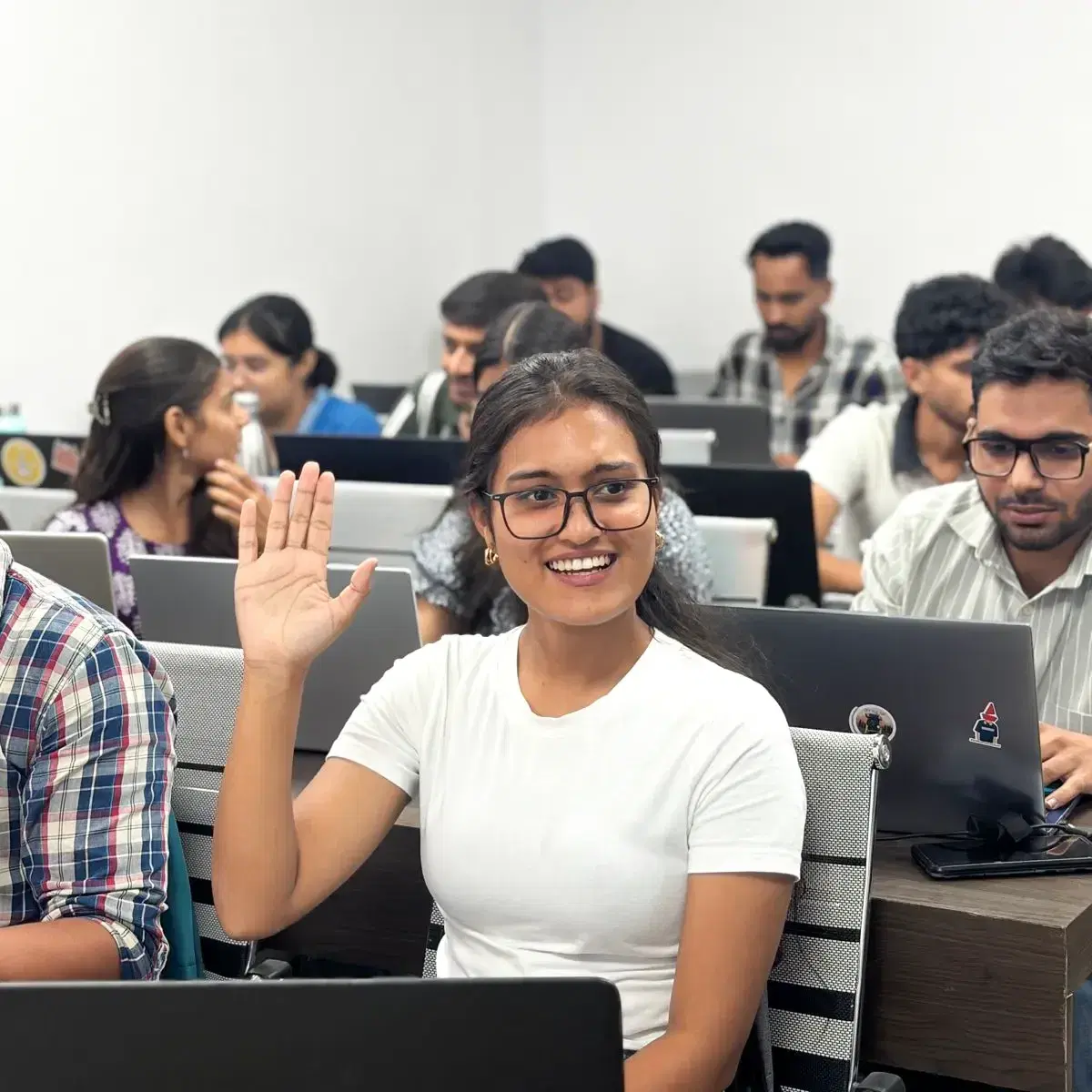
Classroom training in Dehradun: Learn in person with one-on-one project feedback.
AI-infused curriculum: Gen AI built into the workflow, not added as an extra.
Experienced mentor: Learn from Ajay Kashyap, UI/UX Consultant with 7+ years of experience.
Free BrillicaNext LMS for 1 year: Recordings, notes and project submissions.
Placement support: Portfolio reviews, mock interviews and 15 PDP and interview sessions.
No-cost EMI: Pay in monthly instalments at 0% interest.
Walk in to our Dehradun centre for free counselling, or book a free demo class to see a live session before you enrol.
Speak with our counsellor today to explore course fees and secure your admission with no-cost EMI.
AI-Infused AI-Infused