


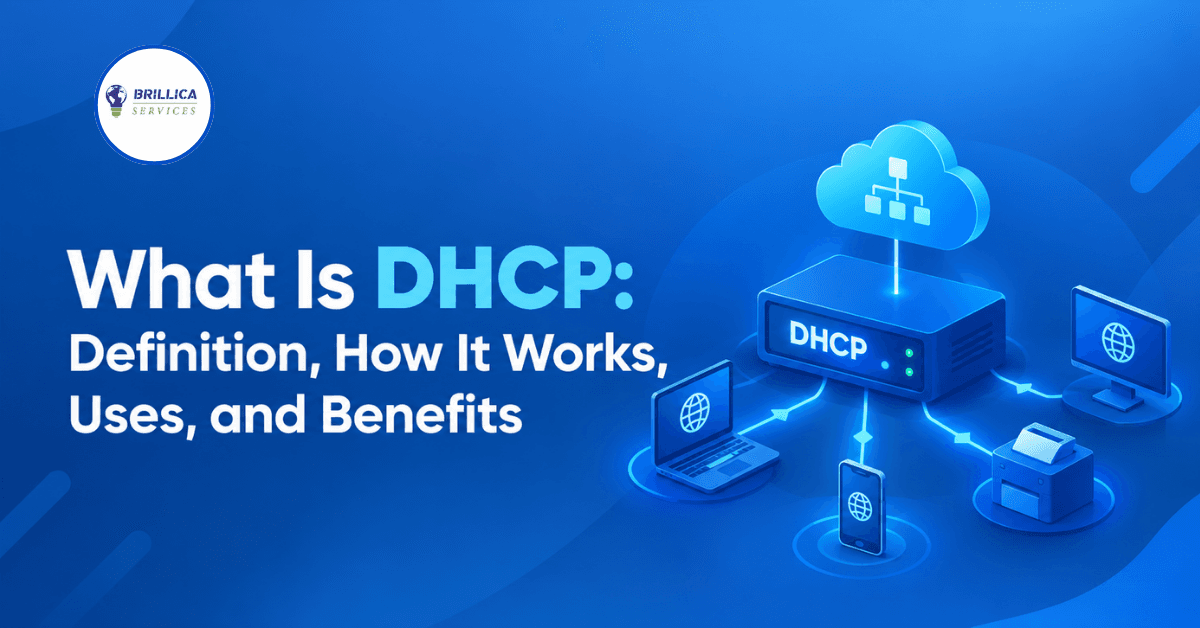
Imagine connecting your laptop or smartphone to Wi-Fi and being unable to access the internet because you have to enter an IP address, subnet mask, gateway, and DNS server manually. This would make even simple internet access difficult for beginners and businesses. Fortunately, networks use a protocol that handles most of this work automatically. It is called DHCP.
If you are learning networking, cybersecurity, or IT fundamentals, understanding DHCP is an important first step. In this guide, you will learn the DHCP definition, what DHCP does, how the process works, and how DHCP works with DNS in a TCP/IP network. The explanations and examples are designed for students, beginners, and business owners who want to understand how devices connect to a network.
What Is DHCP? (DHCP Definition)
DHCP stands for Dynamic Host Configuration Protocol. It is a network protocol that automatically assigns IP addresses and provides other network configuration details to devices connected to a network. These devices may include computers, laptops, smartphones, printers, servers, and other network-enabled equipment.
The main purpose of DHCP is to simplify network configuration. Without DHCP, a network administrator might need to configure each device manually. This can take considerable time, especially in offices, schools, hotels, and large organizations with many connected devices. DHCP reduces this manual work and helps devices receive the configuration they need to communicate over an IP network.
In simple terms, when you connect your laptop to your home Wi-Fi, your router commonly acts as a DHCP server and assigns your device an available IP address. Your laptop then uses that address and other configuration settings to communicate with devices and access the internet.
What Does DHCP Do?
DHCP automatically supplies network configuration information to devices when they join a network. Although IP address assignment is its most familiar function, it can provide several other settings that help a device communicate correctly.
Here are the main functions of DHCP:
● Assigns IP addresses: Gives a device an IP address from a configured address pool.
● Provides a subnet mask or prefix: Helps a device identify which addresses belong to its local network.
● Provides the default gateway: Tells a device where to send traffic destined for other networks.
● Provides DNS server information: Tells a device which DNS resolver it can use to look up domain names.
● Manages address leases: Assigns addresses for a defined period and allows devices to renew their leases.
● Reduces configuration errors: Helps prevent common problems caused by manually entering incorrect settings or assigning the same address to multiple devices.
The exact configuration supplied by DHCP depends on the network and the DHCP server settings. Some networks use DHCP for IP addresses but configure certain details through other methods.
How Does DHCP Work?
DHCP follows a communication process between a client and a server. When a device joins a network, it requests the configuration needed to communicate. In a typical IPv4 network, this process is commonly explained using four steps known as DORA.
1. DHCP Discover
The client begins by sending a DHCP Discover message to locate available DHCP servers. When the client does not yet have an IP address, this message is typically sent as a broadcast on the local network.
For example, imagine a new laptop connecting to an office network for the first time. It does not know which DHCP server is available, so it sends a Discover message to find one.
2. DHCP Offer
A DHCP server receives the Discover message and may respond with a DHCP Offer. The offer contains a proposed IP address and other configuration information, such as the lease duration and relevant network settings.
If multiple DHCP servers are available, the client may receive offers from more than one server. The client can then select an offer according to the DHCP protocol and its implementation.
3. DHCP Request
The client sends a DHCP Request message to indicate which offered configuration it wants to use. In the common initial allocation process, this message also allows DHCP servers to determine whether their offers were selected.
This step helps the client and server coordinate the address assignment.
4. DHCP Acknowledgment
The selected DHCP server sends a DHCP Acknowledgment, commonly called DHCP ACK, confirming the lease and the configuration details. The client can then configure its network interface and begin normal IP communication.
What is the final step of the DHCP discovery process known as?
In the commonly taught DORA process, the final step is the DHCP Acknowledgment (DHCP ACK). It confirms the assigned configuration. Strictly speaking, DHCP Discover is only the first step of the four-message exchange.
What Are the Main Components of DHCP?
To understand DHCP definition in networking, it helps to know the roles of the client, server, and address pool.
DHCP Client
A DHCP client is a device or network interface that requests network configuration. A laptop, smartphone, or printer can act as a DHCP client when configured to obtain its IP address automatically.
DHCP Server
A DHCP server manages address allocation and provides configuration information. It may run on a home router, a dedicated server, or network infrastructure managed by an organization.
IP Address Pool
The address pool is the range of IP addresses that the server is configured to offer to clients. For example, a home network might use addresses within the range 192.168.1.100 to 192.168.1.200 for automatic assignments.
The administrator needs to configure the pool carefully so it does not conflict with addresses reserved for routers, servers, printers, or other devices that use fixed IP addresses.
DHCP Lease
A DHCP lease defines how long a client may use an assigned address under the lease terms. Before the lease expires, the client generally attempts to renew it. This allows the server to manage addresses efficiently as devices connect and disconnect.
What Is the Difference Between DHCP and DNS?
DHCP and DNS are both important networking services, but they solve different problems. DHCP helps a device obtain its network configuration, while DNS translates domain names into information used to locate internet services, commonly IP addresses.
For example, when you connect your phone to Wi-Fi, DHCP may provide an IP address and tell the phone which DNS resolver to use. When you then enter a website name in your browser, DNS helps the phone find the appropriate server address.
DHCP vs DNS: Simple Comparison
Feature | DHCP | DNS |
Full form | Dynamic Host Configuration Protocol | Domain Name System |
Main purpose | Provides network configuration | Resolves domain names to DNS records |
Common example | Assigns an IP address to a laptop | Resolves a website domain to an IP address |
Typical role | Helps devices join and communicate on a network | Helps devices locate services by name |
Common transport | UDP ports 67 and 68 for IPv4 DHCP | Usually UDP or TCP port 53 |
Relationship | Can provide DNS resolver settings | Uses the configured resolver to answer name queries |
How Do DNS Server and DHCP Server Work Together?
A DHCP server can provide the IP address of a DNS resolver to a client. The client then sends DNS queries to that resolver when it needs to look up domain names. In some networks, DHCP and DNS are also integrated so that device names and IP address information can be registered or updated automatically.
However, DHCP does not perform DNS resolution itself. They are separate services that often work together to make network access easier.
DHCP in TCP/IP Networking
TCP/IP is the group of networking protocols used to communicate across local networks and the internet. DHCP supports TCP/IP networking by helping devices obtain the IP configuration they need.
When a device joins a network, it may receive an IP address, subnet mask, default gateway, and DNS resolver information through DHCP. These settings help the device determine how to communicate with local devices and reach destinations outside its local network.
For IPv4, DHCP commonly uses UDP ports 67 and 68. DHCP messages are exchanged between clients and servers according to the network conditions and the current configuration process. If a DHCP server is on a different subnet, a DHCP relay agent may forward the client's messages to the appropriate server.
DHCP is not the same as TCP, and it does not replace IP or DNS. Instead, it provides configuration information that helps a device use IP networking correctly.
What Are the Benefits of DHCP?
DHCP is widely used because it makes network administration simpler and more efficient. Its benefits include the following.
1. Automatic Configuration
Devices can obtain the required network settings without users entering each value manually. This is particularly useful for people who frequently connect laptops and smartphones to different networks.
2. Easier Network Management
Administrators can manage address pools and configuration options centrally rather than updating every device individually. This is helpful in schools, offices, hotels, and other environments with many connected devices.
3. Fewer Configuration Mistakes
Manual IP configuration can lead to incorrect gateways, subnet masks, and duplicate IP addresses. DHCP helps reduce these mistakes when the address pool and network configuration are managed correctly.
4. Efficient IP Address Use
DHCP leases allow addresses to be reused when devices no longer need them and their leases become available for reassignment. This helps organizations manage limited address ranges more effectively.
5. Easier Device Movement
Devices can generally join different DHCP-enabled networks and receive configuration suitable for each network. This makes DHCP convenient for laptops, mobile devices, and temporary users.
What Are the Limitations and Security Risks of DHCP?
Although DHCP is convenient, it needs proper configuration and security controls. A poorly configured server can issue incorrect settings or cause IP address conflicts. If an unauthorized DHCP server is introduced to a network, it may provide malicious configuration information, such as the address of an untrusted gateway or DNS resolver.
Another risk is DHCP starvation, in which an attacker attempts to exhaust the available address pool by sending many requests with different client identifiers or hardware addresses. This can prevent legitimate devices from receiving addresses.
Organizations can reduce these risks through network segmentation, monitoring, authorized server configuration, and appropriate switch security controls, such as DHCP snooping where supported. Administrators should also maintain an accurate record of reserved addresses and monitor address pool usage.
For home users, keeping the router's firmware updated, using strong administrative credentials, and securing Wi-Fi access can help protect the network.
Practical Tips for Beginners Learning DHCP
If you are studying networking or preparing for an IT or cybersecurity role, try these simple exercises:
● Check your device's IP address, default gateway, and DNS settings.
● Learn how to view DHCP lease information on your computer or router.
● Use a virtual lab to observe how DHCP Discover, Offer, Request, and Acknowledgment messages work.
● Practise configuring a DHCP scope in a controlled lab environment.
● Learn how DHCP interacts with DNS, subnetting, routing, and other TCP/IP concepts.
● Never run an experimental DHCP server on a live network without permission, because it can disrupt connectivity for other users.
Practical exercises make networking concepts easier to remember and help you connect theory with real-world troubleshooting.
Frequently Asked Questions About DHCP
1. What does DHCP stand for?
DHCP stands for Dynamic Host Configuration Protocol. It automatically provides IP addresses and other network configuration details to devices on an IP network.
2. What is DHCP in simple words?
DHCP is a service that automatically configures a device's network settings when it connects to a network. For example, your home router may assign an IP address to your phone when you connect to Wi-Fi.
3. What does DHCP do in networking?
DHCP assigns IP addresses, manages address leases, and can provide settings such as subnet masks, default gateways, and DNS resolver addresses. It reduces the need for manual network configuration.
4. What are the four steps of DHCP?
The four commonly taught steps are Discover, Offer, Request, and Acknowledgment. Together, they are known as DORA and describe the typical initial IPv4 address allocation process.
5. What is the difference between DHCP and DNS?
DHCP supplies network configuration to a device, while DNS resolves domain names into DNS records, commonly including IP addresses. DHCP can tell a device which DNS resolver to use.
6. Does DHCP improve internet speed?
DHCP does not normally increase internet speed directly. It helps devices obtain the correct network configuration, allowing them to connect without manual setup errors.
7. Should DHCP be enabled on a home router?
For most home networks, DHCP should remain enabled because it automatically assigns addresses to phones, laptops, televisions, and other devices. Some devices may use reserved or manually configured addresses when needed.
8. Can two devices have the same IP address?
Two devices using the same IP address on the same network can experience an IP conflict, which may interrupt communication. A correctly configured DHCP server helps prevent duplicate dynamic assignments, although conflicts can still occur if static addresses overlap with the DHCP pool.
9. What happens when a DHCP lease expires?
A client normally attempts to renew its lease before it expires. If renewal is unsuccessful and the lease expires, the client may need to stop using that address and obtain valid configuration again.
10. Is DHCP important for cybersecurity?
Yes. DHCP is important because incorrect or malicious network configuration can redirect traffic or disrupt connectivity. Understanding DHCP helps cybersecurity professionals troubleshoot networks and identify suspicious configuration changes.
Conclusion
DHCP is an essential part of modern networking because it automatically assigns IP addresses and provides other settings that devices need to communicate. Understanding the DHCP definition, DORA process, IP address leases, and the relationship between DHCP and DNS gives beginners a strong foundation in TCP/IP networking. These concepts are also useful when learning network troubleshooting and cybersecurity.
If you want to build your networking knowledge and prepare for a career in cybersecurity, combine theoretical learning with practical labs and regular troubleshooting exercises. Brillica Services provides a Cyber Security Course for learners interested in developing cybersecurity knowledge and practical skills.