


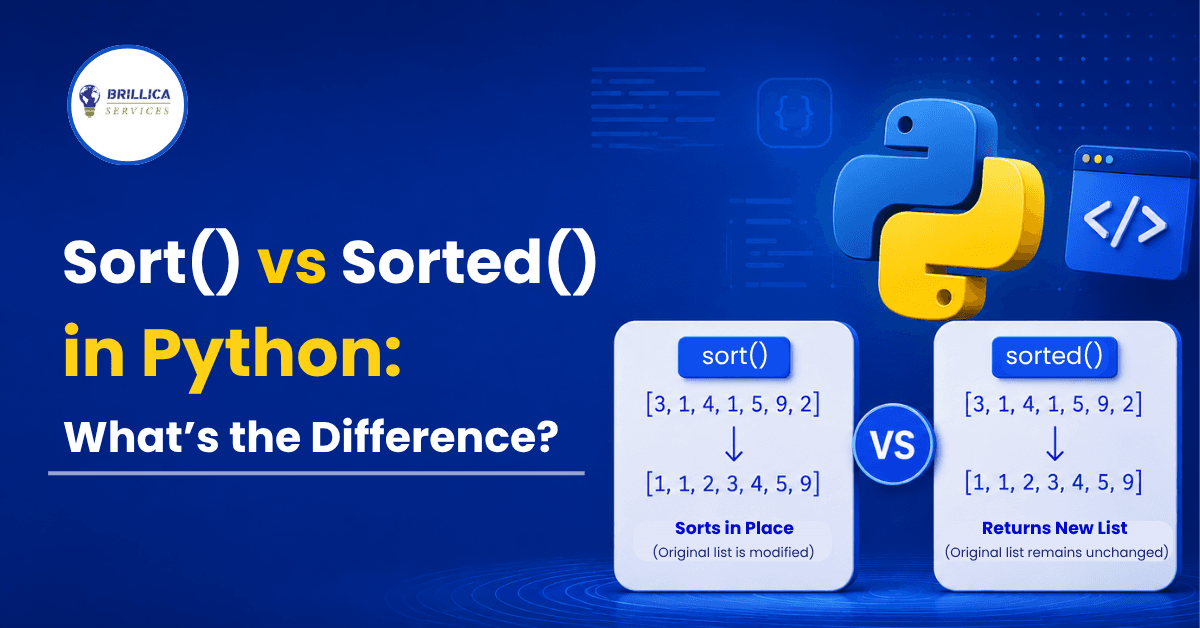
If you are learning sort in Python, you will quickly come across two commonly used options: sort() and sorted(). Both are used for sorting in Python, but they do not work in exactly the same way. One changes the original list, while the other creates a new sorted list. Understanding this difference is important because using the wrong method can change your original data when you do not expect it.
In this guide, we will explain the difference between sort and sorted in Python with simple examples. You will learn how sort() and sorted() work, when to use each one, their performance, common mistakes, and practical examples that beginners can easily understand.
What Is sort() in Python?
The sort() method is a built-in list method used to arrange the elements of a list in ascending or descending order. When you use sort(), Python changes the original list directly instead of creating another list. This is called sorting the list "in place."
The sort function in Python is especially useful when you already have a list and do not need to keep its original order. Since the method works directly on the existing list, it can be a simple and efficient choice when you want to update the list permanently.
Example of sort() in Python
<> Python

numbers = [5, 2, 8, 1, 3]

numbers.sort()

print(numbers)
Output:
[1, 2, 3, 5, 8]Notice that the original numbers list has been changed. After calling sort(), the list is permanently stored in sorted order.
You can also sort a list in descending order:
<> Python

numbers = [5, 2, 8, 1, 3]

numbers.sort(reverse=True)

print(numbers)
Output:
[8, 5, 3, 2, 1]What Is sorted() in Python?
The sorted() function works differently. The sorted function in Python takes an iterable, sorts its elements, and returns a new list containing the sorted values. The original data remains unchanged.
This makes sorted() useful when you want to keep the original list while also creating a sorted version of it. Unlike sort(), sorted() can also work with other iterable objects such as tuples, strings, dictionaries, and sets.
Example of sorted Python
<> Python

numbers = [5, 2, 8, 1, 3]

new_numbers = sorted(numbers)

print(new_numbers)
print(numbers)
Output:
[1, 2, 3, 5, 8]
[5, 2, 8, 1, 3]
Here, sorted() creates a new sorted list in Python, while the original numbers list stays exactly the same.
sort() vs sorted() in Python: Key Difference
The biggest difference between sort and sorted in Python is how they handle the original data.
Feature | sort() | sorted() |
Type | List method | Built-in function |
Changes original list | Yes | No |
Returns a new list | No | Yes |
Return value | None | Sorted list |
Works directly on | Lists | Any iterable |
Supports reverse | Yes | Yes |
Supports key | Yes | Yes |
Best for | Updating an existing list | Keeping original data |
In simple terms, remember this rule: use sort() when you want to change the original list, and use sorted() when you want a new sorted version while keeping the original data unchanged.
Example: Difference Between sort and sorted in Python
Consider a list of student marks:
<> Python

marks = [75, 42, 89, 63, 55]
If you use sort():
<> Python

marks.sort()

print(marks)
The original list becomes:
[42, 55, 63, 75, 89]But if you use sorted():
<> Python

marks = [75, 42, 89, 63, 55]

sorted_marks = sorted(marks)

print(sorted_marks)
print(marks)
You get:
[42, 55, 63, 75, 89]
[75, 42, 89, 63, 55]
This example clearly shows the main sort vs sorted Python difference. sort() modifies the existing list, whereas sorted() gives you a separate sorted list.
sort() and sorted() With reverse=True
Both methods can sort data in descending order using reverse=True.
With sort():
<> Python

numbers = [10, 5, 20, 15]

numbers.sort(reverse=True)

print(numbers)
Output:
[20, 15, 10, 5]With sorted():
<> Python

numbers = [10, 5, 20, 15]

result = sorted(numbers, reverse=True)

print(result)
Output:
[20, 15, 10, 5]The result looks the same, but the important difference remains: sort() changes numbers, while sorted() leaves the original list unchanged.
Using key With sort() and sorted()
One of the most useful features of python sort and python sorted is the key parameter. It allows you to tell Python which value should be used for sorting.
For example, suppose you have a list of names:
<> Python

names = ["Rohan", "Amit", "Christopher", "Raj"]

names.sort(key=len)

print(names)
Output:
['Raj', 'Amit', 'Rohan', 'Christopher']Here, Python sorts the names according to their length rather than alphabetical order.
The same thing can be done with sorted():
<> Python

names = ["Rohan", "Amit", "Christopher", "Raj"]

result = sorted(names, key=len)

print(result)
This is useful in real-world applications where data needs to be sorted based on a particular property.
Sorting a List of Dictionaries
The key parameter becomes even more useful when working with structured data.
For example:
<> Python

students = [

    {"name": "Aman", "marks": 78},

    {"name": "Riya", "marks": 92},

    {"name": "Karan", "marks": 65}

]

students.sort(key=lambda student: student["marks"])

print(students)
This sorts the students according to their marks.
If you want the highest marks first:
<> Python

students.sort(

    key=lambda student: student["marks"],

    reverse=True

)
This type of sorting in Python is commonly used when working with databases, reports, analytics data, and business applications.
What Does sort() Return in Python?
A common beginner mistake is expecting sort() to return the sorted list.
For example:
<> Python

numbers = [5, 2, 8, 1]

result = numbers.sort()

print(result)
The output is:
NoneWhy? Because sort() changes the list directly and does not create a new list.
The correct approach is:
<> Python

numbers.sort()

print(numbers)
On the other hand, sorted() returns a new list:
<> Python

numbers = [5, 2, 8, 1]

result = sorted(numbers)

print(result)
Output:
[1, 2, 5, 8]This is one of the most important things to remember when learning sort in Python.
Which Is Faster: sort() or sorted()?
Both sort() and sorted() use Python's highly optimized sorting algorithm, Timsort. For a list of n elements, their typical sorting time is O(n log n).
In practical terms, the difference in speed is usually not the main reason to choose one over the other. The bigger difference is how they handle the original data.
sort() works directly on the list, so it does not need to create another list containing all the sorted elements. sorted() creates and returns a new list, which means it needs additional memory for that result.
For large datasets, this difference can matter. If you do not need the original order, sort() can be a sensible choice. If preserving the original data is important, sorted() is usually the safer option.
When Should You Use sort()?
Use sort() when:
You are working with a list.
You do not need the original order.
You want to modify the existing list.
You want a simple in-place sorting operation.
Creating another list is unnecessary.
For example:
<> Python

prices = [500, 200, 800, 300]

prices.sort()

print(prices)
This is a good use case because the original order is no longer required.
When Should You Use sorted()?
Use sorted() when:
You need to preserve the original list.
You want to create another sorted list.
You are working with an iterable other than a list.
You need both the original and sorted versions of your data.
For example:
<> Python

original_scores = [75, 40, 90, 65]

sorted_scores = sorted(original_scores)

print(original_scores)
print(sorted_scores)
This gives you both versions without changing the original data.
Common Mistakes Beginners Make
One common mistake is writing new_list = old_list.sort() and expecting new_list to contain the sorted values. Since sort() returns None, this will not work as expected. Another mistake is using sort() when the original order is still needed later in the program. In that situation, sorted() is usually the better choice.
Beginners also sometimes assume that sorted() can only be used with lists. In reality, it can accept many iterable objects and always returns a list containing the sorted elements.
Quick Tips for Sorting in Python
If you are learning sort and sorted in Python, keep these simple tips in mind:
Use list.sort() when you want to modify the existing list.
Use sorted() when you want a new sorted list.
Remember that sort() returns None.
Use reverse=True for descending order.
Use key when you need custom sorting.
Do not use sort() if you still need the original order.
Practice with numbers, strings, and dictionaries to understand the difference.
Frequently Asked Questions
What is the main difference between sort() and sorted() in Python?
The main difference is that sort() modifies the original list, while sorted() creates and returns a new sorted list. sort() is a list method, whereas sorted() is a built-in Python function.
Is sort() faster than sorted()?
Both use Timsort and have the same general time complexity of O(n log n). However, sort() works in place and does not create a separate sorted list, so it can use less additional memory.
Does sorted() change the original list?
No. sorted() returns a new list and leaves the original list unchanged.
Can sorted() work with a tuple?
Yes. sorted() can accept a tuple and returns the sorted values as a new list.
<> Python

numbers = (5, 2, 8, 1)


result = sorted(numbers)


print(result)
Output:
[1, 2, 5, 8]Which should beginners learn first?
It is useful to learn both. Start with sort() to understand how a list can be changed directly, then learn sorted() to understand how you can create a new sorted list without changing the original data.
Conclusion
Understanding sort in Python is an important step for anyone learning Python programming. Although sort() and sorted() may look similar, their behavior is different. The sort() method changes the original list and returns None, while the sorted() function creates a new sorted list and keeps the original data unchanged.
The easiest way to remember the sort vs sorted Python difference is: sort() changes the list, while sorted() creates a sorted copy. Once you understand this simple rule, you can choose the right option when working with lists, strings, tuples, dictionaries, and other data.
If you want to build strong Python programming skills with practical projects and expert guidance, Brillica Services provide best Python course in Dehradun. The course can help students and beginners learn Python concepts from the basics and develop practical skills for real-world projects and career opportunities.
Want to learn Python from basics to advanced concepts? Explore the Python course at Brillica Services and start building your programming skills today.